Corporate Catering
From scattered lunch orders to a structured workplace benefit
Corporate Catering is a workplace lunch and canteen ordering platform that connects companies (employers), their employees, and lunch providers through one system. Companies offer a digital canteen; employees order lunch with optional company subsidy; and operators or admins manage menus, delivery, and payments.
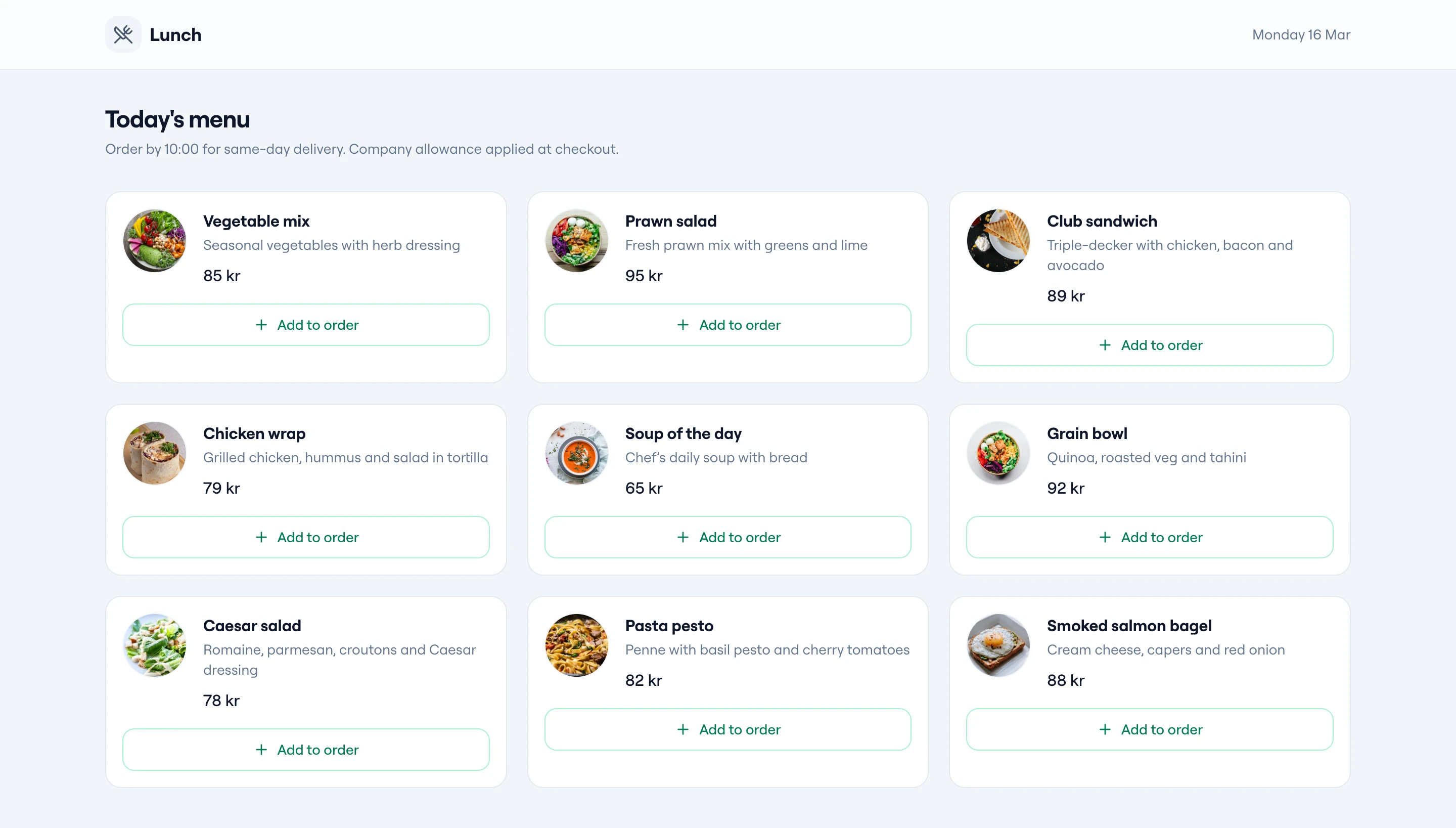
Who Uses the System
Four roles, one platform
The platform serves employers, employees, and operators with clear separation of responsibilities and visibility.
Company
The employer. Registers the organization, sets up the team, defines lunch allowance (percentage or fixed amount), and can place orders for meetings.
Employee
Staff member of a company. Browses the menu, places one-time or recurring lunch orders, and pays their share after the company allowance.
Admin
Manages day-to-day operations for one company: menu, delivery areas, holidays, and lunch orders. Typically used by the caterer or office manager.
Super Admin
Platform operator. Manages multiple companies, finance (revenue and overdue payments), and company-level lunch orders for platform-wide control and reporting.
Main Business Flows
From onboarding to delivery
The platform supports the full lifecycle: company and employee setup, ordering, delivery rules, payments, and notifications.
Company & Employee Onboarding
Companies register with organization details and address. Employees are added by the company (manually or via list), receive an invitation, and activate their account before ordering. The company sets allowance: either a percentage of the lunch cost or a fixed daily amount—the rest is paid by the employee.
- Company registration and profile
- Employee invites and account activation
- Allowance: percentage or fixed daily amount
Ordering Lunch
Menu is set per day: items (e.g. sandwiches, salads, wraps) and additions (snacks, beverages). Employees see what is available for each day. One-time orders for a chosen date; recurring orders (e.g. every weekday) for a period; meeting orders placed by the company. Same pricing and allowance rules apply.
- One-time and recurring orders
- Meeting orders (company-placed)
- Employee pays share; company charged allowance
Delivery & Availability
Delivery is configured by area (e.g. postal codes) and price. Only valid delivery areas can receive orders. Holidays are defined per company or globally; on holidays, ordering may be disabled or limited so menu and delivery rules stay correct.
- Delivery areas and pricing by postal code
- Holidays per company or platform-wide
Payments & Finance
Payments cover the employee's share and the company's share. Employees can save payment methods and pay per order or via subscription; companies are invoiced or charged for their part. Revenue (per company or overall) and overdue amounts are tracked for financial performance and collections.
- Employee and company payment flows
- Revenue and overdue tracking
Notifications & Order Status
Users are notified when the allowance type or amount changes; when an order moves to "processing" or "delivered"; and when a payment succeeds or fails. Order status flows from "not started" to "processing" to "delivered" (or "cancelled").
Business Concepts
Key terms (glossary)
The platform is built around clear business concepts so companies, employees, and operators all share the same language.
| Concept | Meaning |
|---|---|
| Allowance | The part of the lunch cost the company pays. Either a percentage of the order or a fixed daily amount. |
| One-time order | A single order for a chosen date. |
| Recurring order | An order that repeats (e.g. every weekday or on selected days) for a date range. |
| Meeting order | An order placed by the company for a meeting (e.g. guests, events). |
| Menu item | A lunch option (e.g. sandwich, salad, wrap) offered on a given day. |
| Addition | Extra item (e.g. snack, beverage) that can be added to an order. |
| Delivery area | Defined by postal codes; each area can have its own delivery price. |
| Holiday | Date(s) when the company or platform does not operate normally; used to control availability. |
Summary
One platform for the full lunch benefit flow
Corporate Catering lets companies offer a structured lunch benefit: employees order from a daily menu with one-time or recurring orders, and companies can order for meetings. Allowance (percentage or fixed amount) defines who pays what. Delivery areas and holidays control where and when orders are possible. Admins run menus and orders per company; Super Admins run multiple companies and platform finance. The system supports the full flow from registration and allowance setup through ordering, delivery, payments, and basic finance and notifications.
Company, Employee, Admin, Super Admin—each with the right level of access.
One-time, recurring, and meeting orders—all with consistent allowance and billing.
Percentage or fixed daily amount so companies can design the benefit that fits.
Menu, delivery areas, holidays, payments, and notifications in one system.
Need a custom lunch or canteen platform?
We build platforms that connect companies, employees, and providers—with clear roles, allowance rules, and full control over menus, delivery, and payments.